
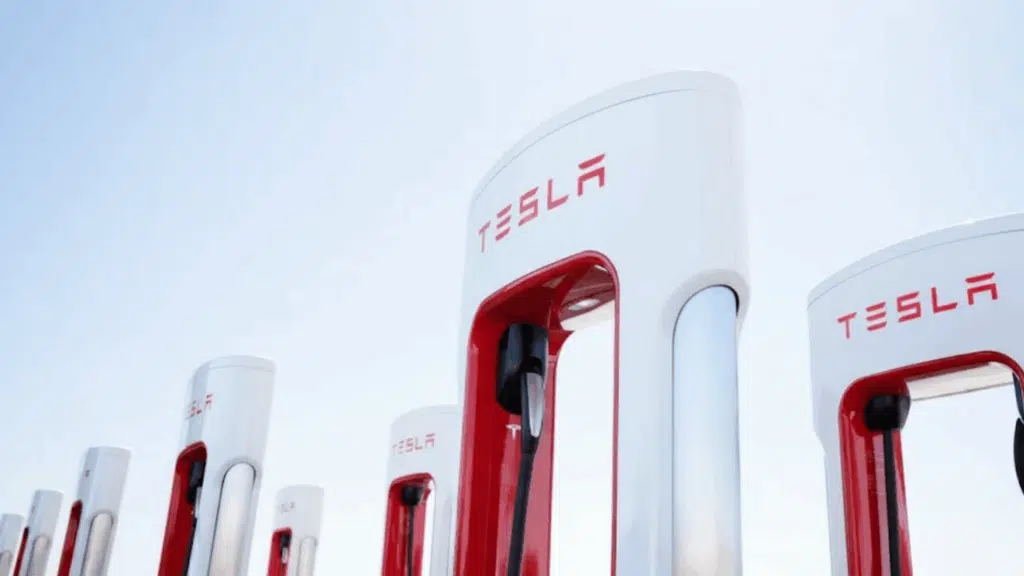
I remember the first time I saw a Tesla Supercharger station and thought, “Wouldn’t it be great if my non-Tesla EV could use these?”
Well, that dream is now a reality! Tesla’s Magic Dock technology has opened up its famous Supercharger network to drivers like us who don’t own a Tesla.
In this guide, I’ll walk you through everything about Tesla Magic Dock, what it is, which cars work with it, and exactly how to use it step-by-step.
We’ll cover how to find Magic Dock locations near you, what it costs to charge, and how to troubleshoot if things don’t go as planned. Let’s take a look at making charging your EV easier than ever!
What Exactly is Tesla Magic Dock?
Think of Magic Dock as a universal adapter that’s already attached to certain Tesla Superchargers. It converts Tesla’s NACS charging plug into the CCS1 connector that most non-Tesla EVs use.
The adapter stays locked inside the charging handle until you need it. When activated through the Tesla app, it releases with the handle so you can plug directly into your car’s charging port.
The technology is simple but effective; it eliminates the need for drivers to carry their own adapters or worry about compatibility issues.
Tesla started rolling out Magic Dock technology in 2023 as part of their commitment to open their charging network.
The move came partly due to federal funding requirements under the National Electric Vehicle Infrastructure (NEVI) program, which encouraged interoperability between charging networks.
Why Tesla Opened Its Network to Non-Tesla Cars?
Tesla’s decision to add Magic Dock wasn’t random; it’s part of a bigger goal to make EV charging simpler for everyone.
The U.S. government’s NEVI program encourages all networks to work together so drivers don’t have to hunt for compatible stations.
By adding Magic Dock, Tesla opened its Superchargers to more EVs, making road trips a lot easier for non-Tesla owners.
For drivers like me, this means fewer worries about finding a reliable charger when traveling. Tesla’s Supercharger network is already known for being fast and dependable, and now more people can use it.
It’s a big step toward a future where every EV can plug in anywhere, no matter the brand.
How Tesla Magic Dock Works for Non-Tesla EVs?
If you don’t drive a Tesla, Magic Dock simplifies Supercharger use by bridging Tesla’s NACS plug with other EVs that use the CCS1 connector, allowing nearly any electric car to charge easily without extra equipment.
Here’s how it works:
- Tesla Superchargers with Magic Dock include a built-in CCS1 adapter.
- You activate the charger through the Tesla app.
- The app unlocks the adapter attached to the handle.
- Plug it into your EV’s charging port and start charging.
- When finished, return the handle. The Magic Dock locks automatically.
It’s quick, reliable, and incredibly convenient. Magic Dock makes Tesla’s powerful Supercharger network open to more EV drivers, turning charging into a simple, stress-free experience for everyone.
Which Cars are Compatible with the Magic Dock?
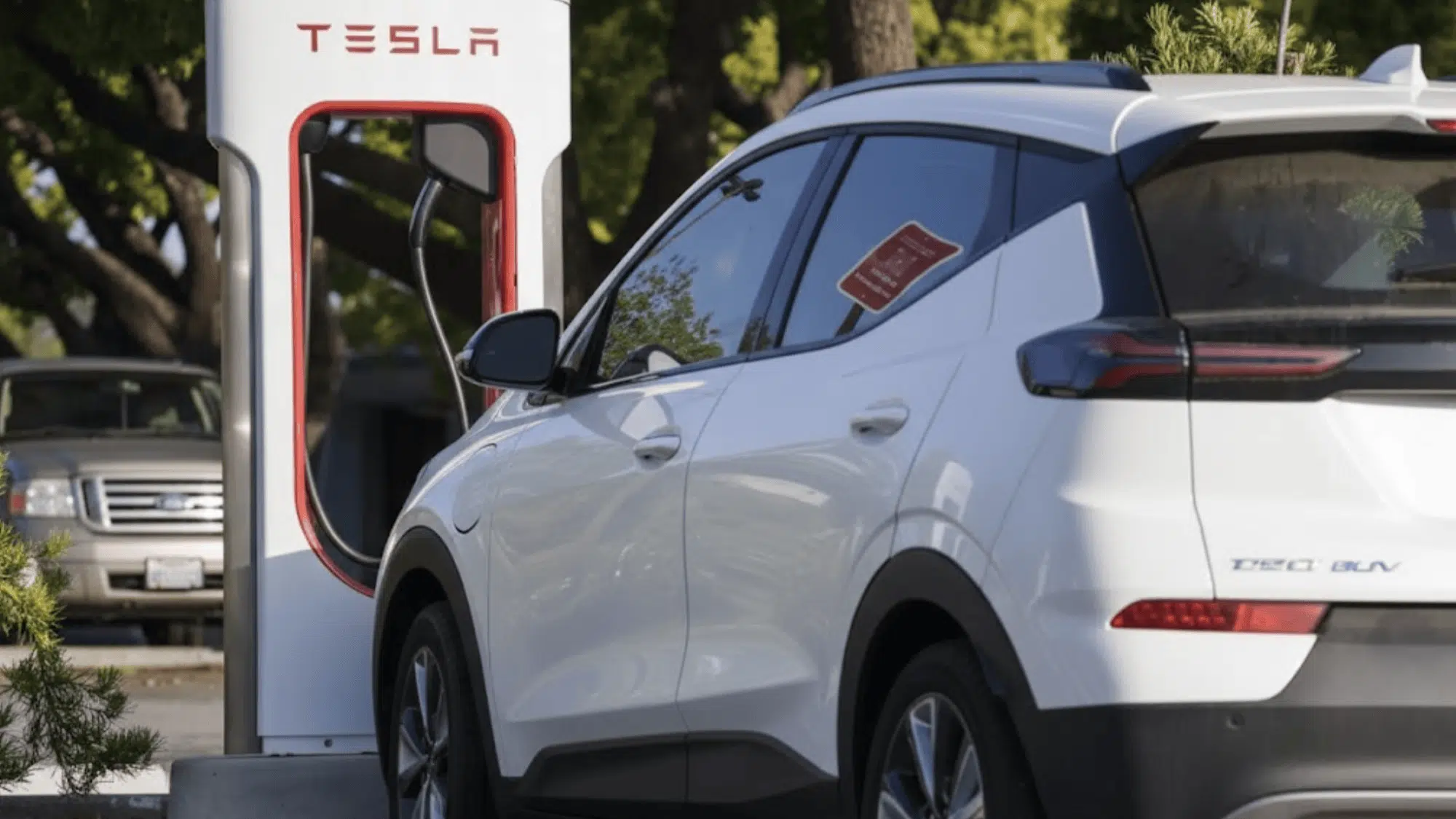
Magic Dock works for any electric vehicle with a CCS1 charging port. This includes popular models like:
- Volkswagen ID.4 and ID.Buzz
- Hyundai Ioniq 5 and Ioniq 6
- Kia EV6 and EV9
- Chevrolet Bolt EV and EUV
- BMW i4, iX, and i7
- Nissan Ariya
- Mercedes EQS, EQE, and EQB
- Polestar 2 and Polestar 3
- Genesis GV60, GV70, and Electrified G80
- Audi e-tron and Q4 e-tron
- Ford F-150 Lightning (without adapter)
- Volkswagen ID.Buzz
Important Note: Some EVs like Ford, Rivian, and newer GM vehicles already have partnerships with Tesla. These cars can use regular Superchargers (without Magic Dock) if owners have their own NACS adapter.
However, Magic Dock still works as a backup if they forget their adapter at home.
Older Nissan Leaf models use CHAdeMO charging instead of CCS, so they cannot use Magic Dock stations.
Why Use Tesla Superchargers?
Tesla’s charging network offers several advantages over competing networks, making it a top choice for many EV drivers.
| Feature | Description |
|---|---|
| Reliability | Superchargers are well-maintained and rarely fail, with Tesla monitoring remotely and dispatching technicians swiftly. |
| Speed | Magic Dock sites offer at least 72 kW, often 150 kW+, with a significant range added in 15–20 minutes. |
| Convenience | Located near highways, shops, and restrooms, ideal for quick breaks on trips. |
| Transparency | The app shows live pricing, stall availability, and charger status in real time. |
| Network Size | 50,000+ stalls in North America, with Magic Dock access expanding for non-Tesla drivers. |
How Much Does a Tesa Magic Dock Cost?
Charging costs vary by location but typically range from $0.25 to $0.60 per kWh. That’s competitive with other fast-charging networks like Electrify America or EVgo, and sometimes even cheaper.
Here’s what affects the price:
- Location: Urban areas usually cost more than rural areas.
- Time of day: Rates can be higher during peak hours.
- Local electricity rates: Prices vary by state and region.
- Demand charges: Busy stations might have higher costs.
- Station age: Newer stations sometimes use different pricing.
The Tesla app shows the exact price before you start charging, so there are no surprises on your bill. You’ll also receive notifications when your car is nearly finished charging, giving you time to return and move it.
Finding Magic Dock Locations Near You
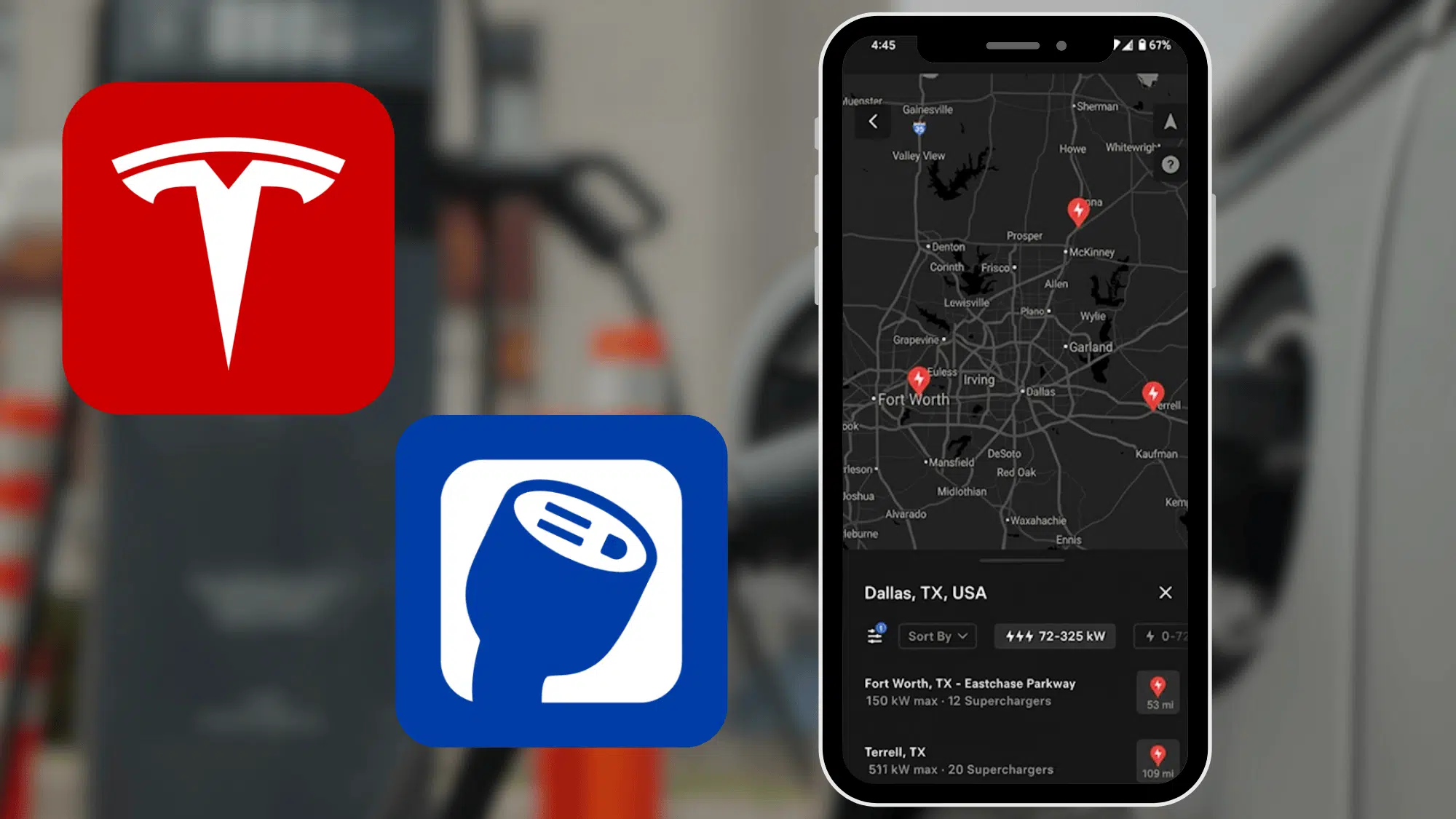
Not all Tesla Superchargers have Magic Dock adapters yet. Currently, only select locations offer this feature, but Tesla continues expanding the network monthly.
As of early 2025, there are several hundred Magic Dock locations across the United States, with more being added regularly.
Method 1: Using the Tesla Mobile App (Recommended)
This is the easiest and most accurate way to find Magic Dock chargers.
- Download the Tesla app from your phone’s app store. It’s available for both iPhone and Android devices, completely free.
- Create an account and add a credit or debit card for payment. The app securely stores your payment information and automatically bills you after each charging session.
- Tap “Find a Charger” on the home screen. This opens an interactive map showing nearby charging options.
- Select “Add Your Vehicle Details” when prompted. Fill in your EV’s make, model, and year. This helps the app filter results appropriately.
- Under charging preferences, select that you don’t have an NACS adapter. This is crucial for the app to show only Magic Dock locations.
- Set the filter to show only chargers providing 72 kW or more. This ensures you’re seeing fast-charging locations rather than slower destination chargers.
The map now displays only Magic Dock-enabled locations as red dots. Tap any dot to see:
- Current availability (how many stalls are open right now)
- Pricing per kWh at that specific location
- Photos of the location showing exactly where the chargers are
- Amenities nearby, like restaurants, shops, and restrooms
- User reviews and ratings from other EV drivers
- Historical usage patterns to predict busy times
You can also search by address to plan road trips in advance. The app even suggests charging stops along your route if you enter a destination.
Method 2: Using Tesla’s Website
Head to tesla.com/findus on any web browser. This works on computers, tablets, or phones.
Look for the filter option labeled “Superchargers open to other EVs” and select it. The map will update to show compatible locations across your region.
Critical detail: Always check the location description for the phrase “adapter included for other EVs.” This confirms the station has Magic Dock. Don’t confuse it with “open to NACS partners,” which refers to Ford and Rivian vehicles with their own adapters.
The website shows the same information as the app, including pricing and availability. However, the app provides more real-time updates and is generally more convenient to use while traveling.
Method 3: Third-Party Apps
Apps like PlugShare and A Better Route Planner (ABRP) also list Magic Dock locations. These tools are helpful for planning longer trips and comparing charging options along your route.
PlugShare includes user reviews, photos, and check-ins from other EV drivers. This community feedback can alert you to issues like broken chargers or difficult-to-access locations before you arrive.
ABRP specializes in route planning and can calculate exactly when and where you’ll need to charge based on your vehicle’s efficiency, current battery level, and driving conditions.
How to Charge Your Non-Tesla EV with Magic Dock?
Using Magic Dock feels different from other chargers at first, but it becomes second nature after one or two tries. The key is understanding the unique removal and return process.
- Check the Tesla app to confirm Magic Dock is available at your chosen station
- Know that not every stall at the location might have the adapter
- Have your phone charged and ready with the app open
- Consider the weather – you’ll be outside for a few minutes
- Plan what you’ll do during charging (grab food, use the restroom, etc.)
Step 1: Park and Set Up in the App
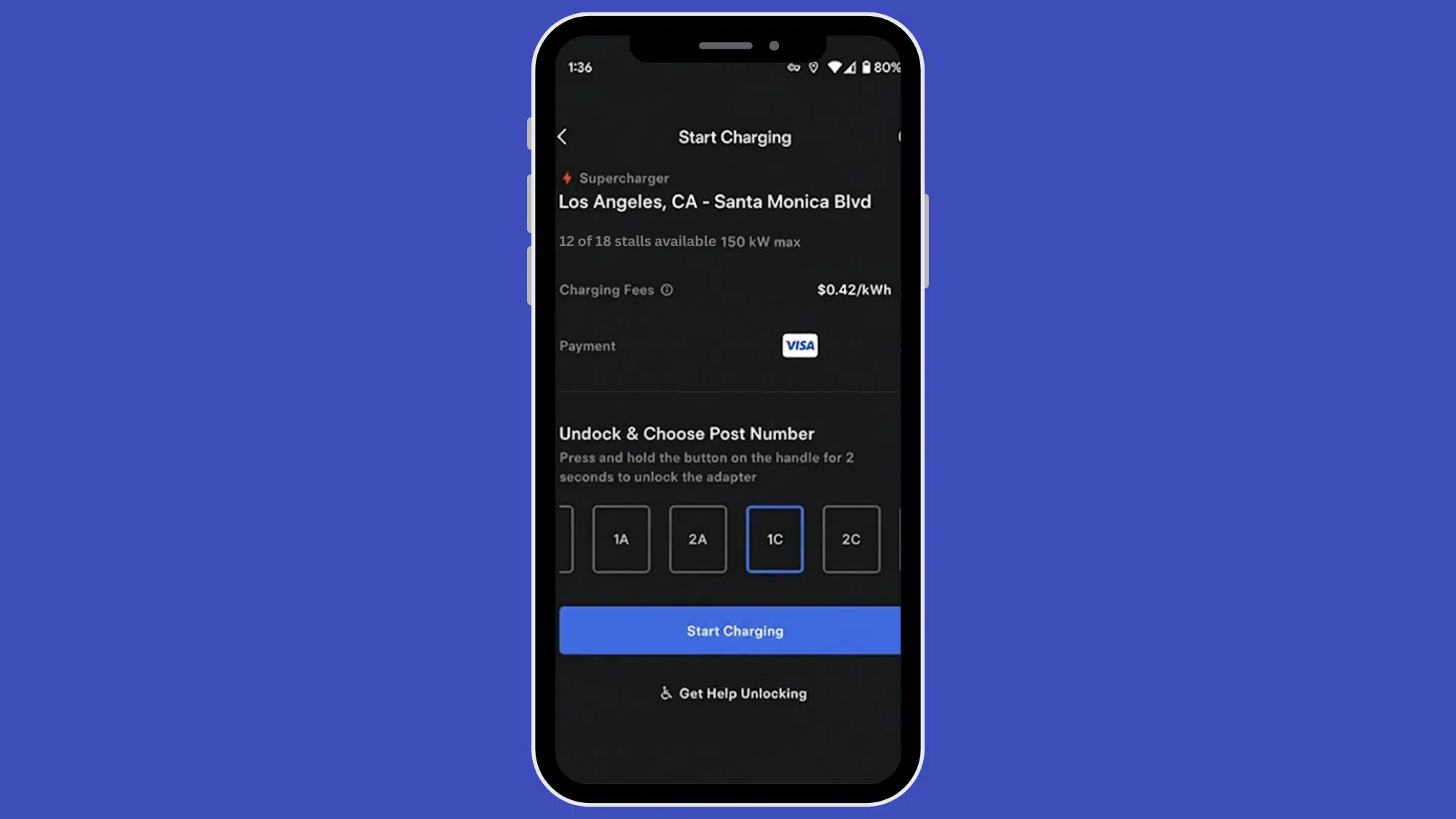
Look for the stall ID number on the Supercharger unit. It’s typically displayed on a small screen or label near the top of the charger. You’ll need this number in a moment.
Pay attention to cable length and your car’s charging port location. Some vehicles have ports on the driver’s side, while others have them on the passenger side. Most Supercharger cables reach either side, but positioning your car appropriately makes the process easier.
Open the Tesla app and follow these steps:
- Tap “Find a Charger”
- Select your current location from the list
- Press “Charge Here”
The app may take a few seconds to communicate with the charging station. Make sure you have a good cellular or WiFi connection.
The app displays a list of charging units with their ID numbers. Find and select the number matching your stall. Double-check that you’ve selected the correct number – choosing the wrong stall won’t work. The screen now shows your payment method and the current charging rate. You’ll also see if there are any promotions or special pricing in effect.
Step 2: Remove the Charging Handle with Magic Dock
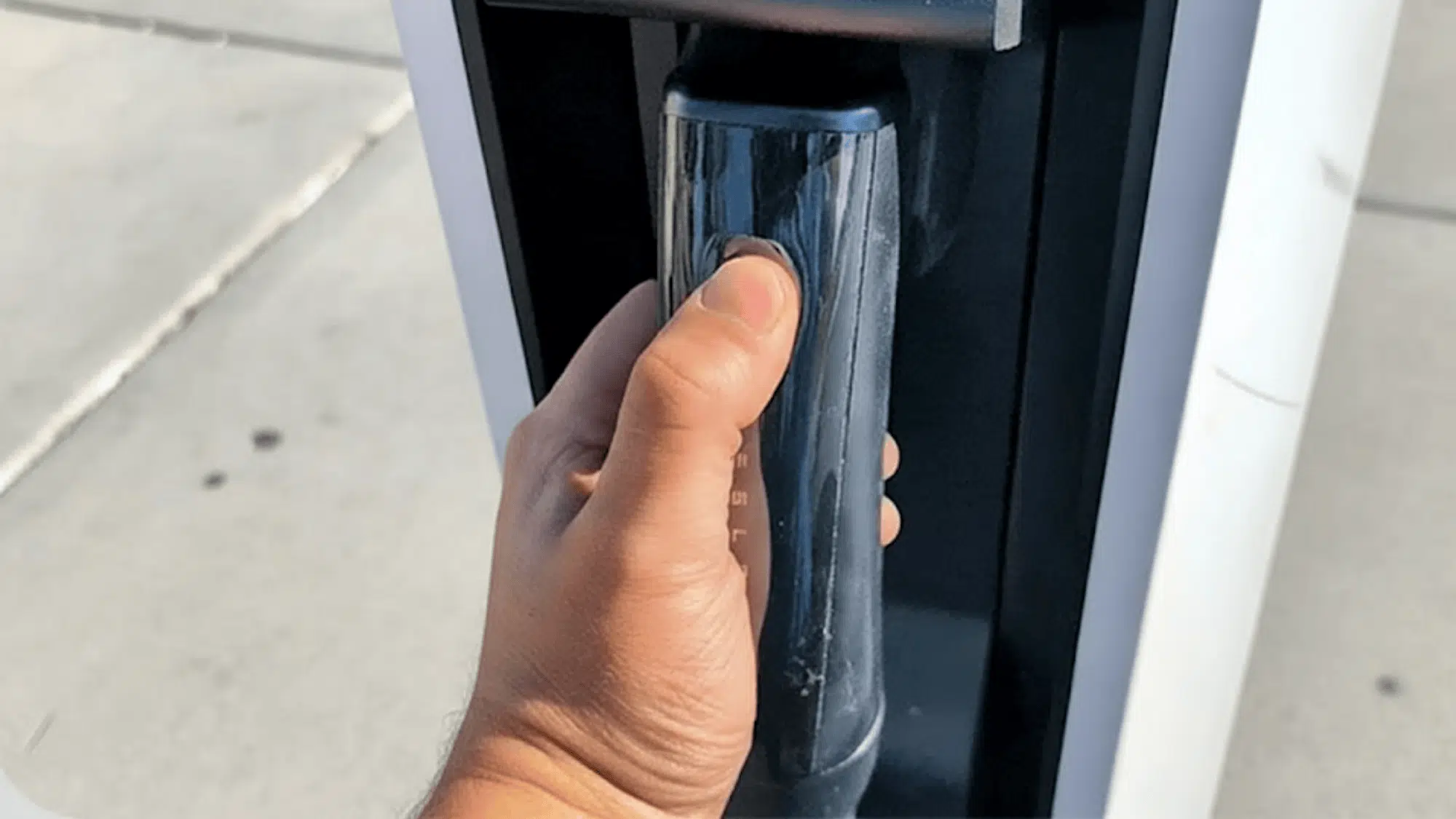
This step confuses most first-timers. The Magic Dock stays attached to the handle when you pull it out, unlike regular adapters that you’d attach separately.
Here’s how:
- Press and hold the button on the charging handle for 2-3 seconds (sometimes up to 5 seconds).
- While holding, push the handle toward the charging unit firmly.
- This engages the Magic Dock adapter mechanism inside.
- Now pull the handle back toward you with steady pressure.
- The handle comes out with the adapter still attached at the end.
The whole assembly feels heavier than a regular charging handle because of the adapter’s weight. Don’t worry, this is normal and expected.
Step 3: Plug In and Start Charging
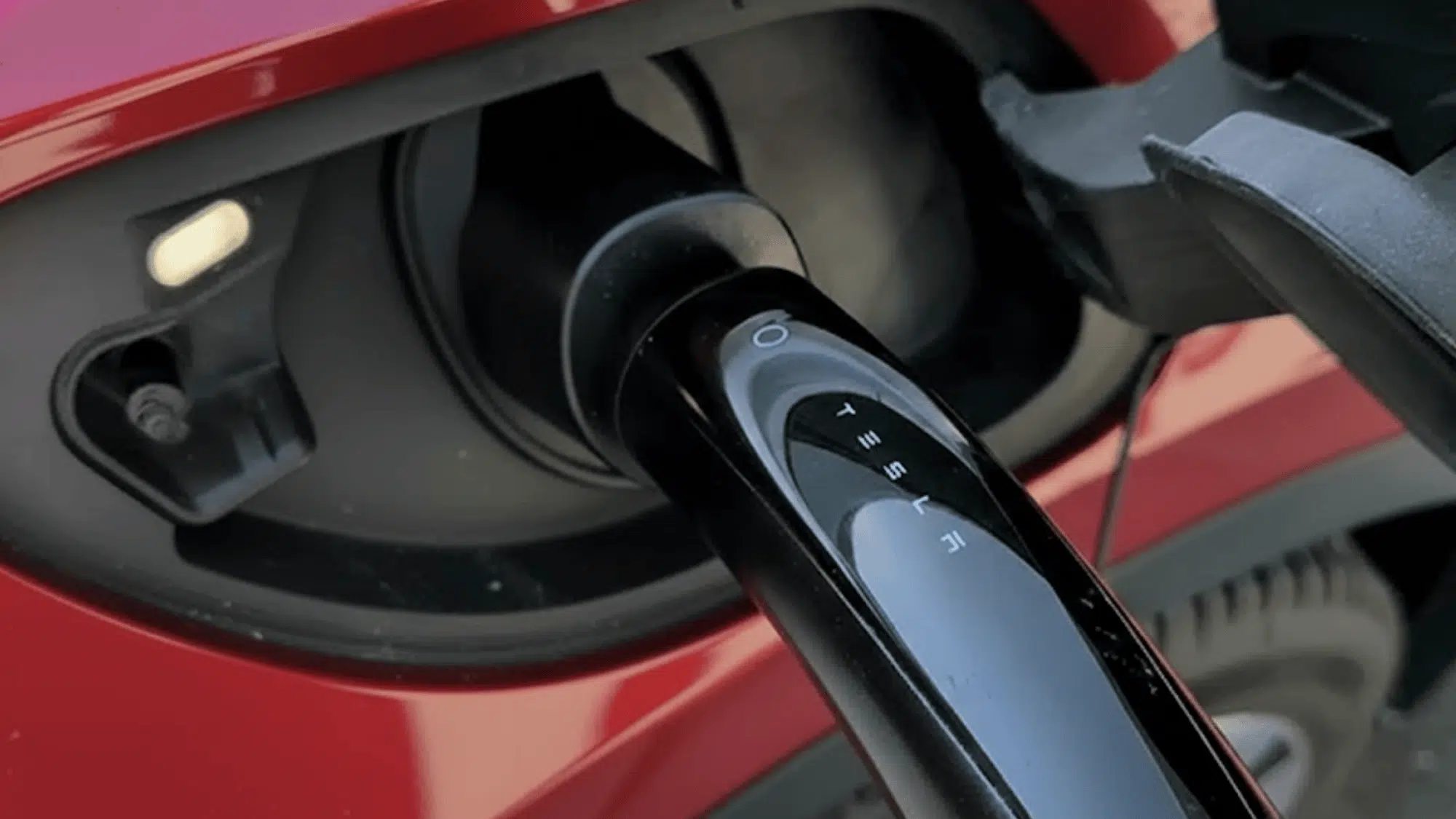
Insert the charging handle (with Magic Dock attached) into your vehicle’s CCS port. It fits just like any other DC fast charger you’ve used before. You should hear a click when it’s properly seated.
Some vehicles require you to unlock the charging port door first using a button near the port, your key fob, or the car’s touchscreen.
The app confirms when charging begins, usually within 1-2 minutes. You might hear cooling fans and see lights activate on both the charger and your vehicle. You can monitor:
- Current charging speed (kW)
- Battery percentage
- Estimated time to full
- Total cost so far
- Energy delivered
Feel free to grab food, use the restroom, or stretch your legs while charging. The app sends push notifications to your phone when charging is nearly complete or if any issues occur.
Your car will charge fastest when the battery is between 10% and 50%. As you approach 80%, charging speed naturally slows down to protect the battery. This is called the “charging curve,” and it’s normal for all EVs.
Step 4: Stop Charging and Unlock Your Port
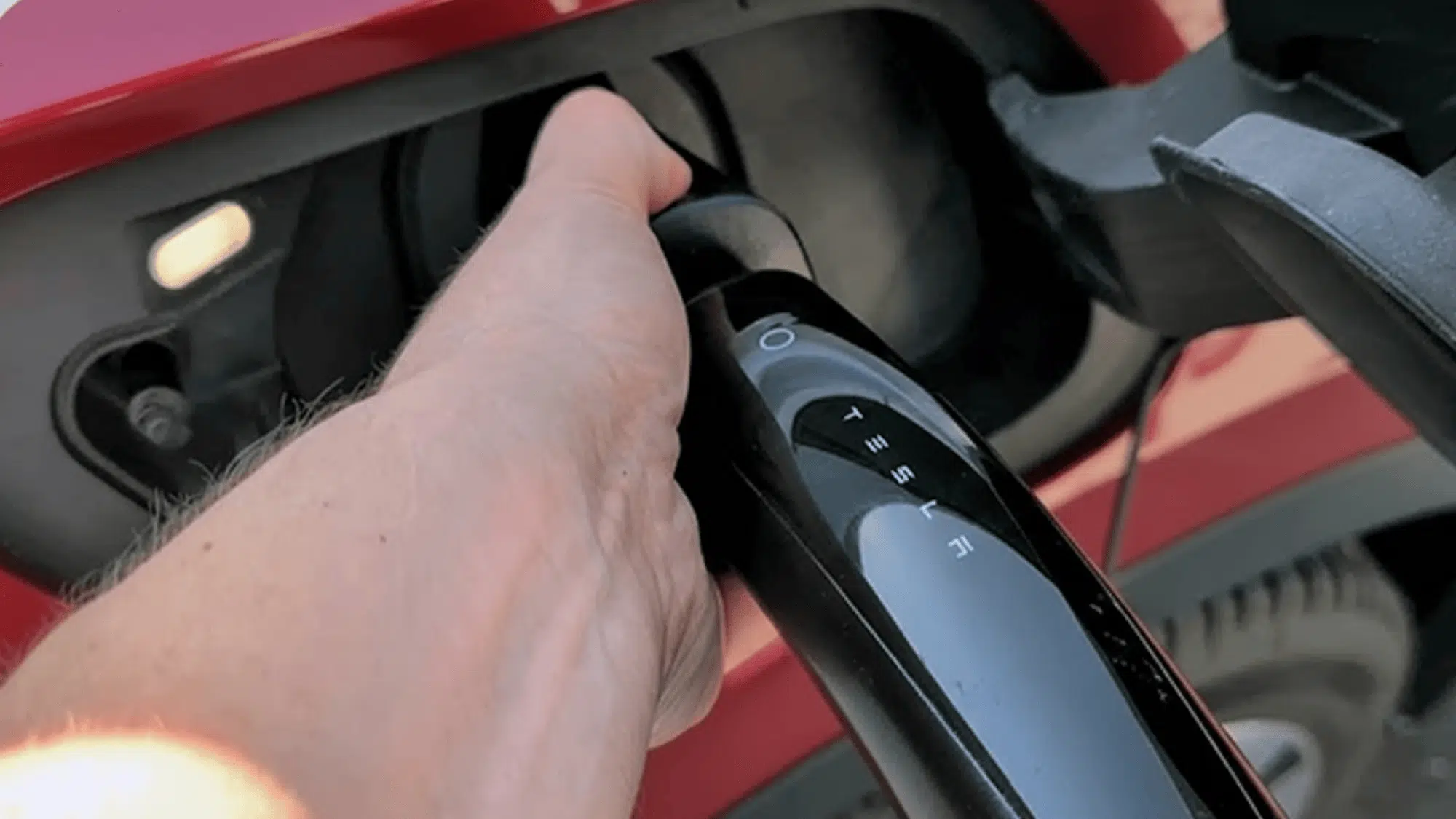
When your battery reaches your desired level, press the “Stop Charging” button in the app. The app confirms the session has ended and shows your final cost. You’ll receive a receipt via email within minutes.
Some EVs automatically lock the charging port during charging for security. Use your key fob or the car’s touchscreen to unlock it. Some vehicles unlock automatically when charging stops.
Step 5: Remove Handle and Return to Stall
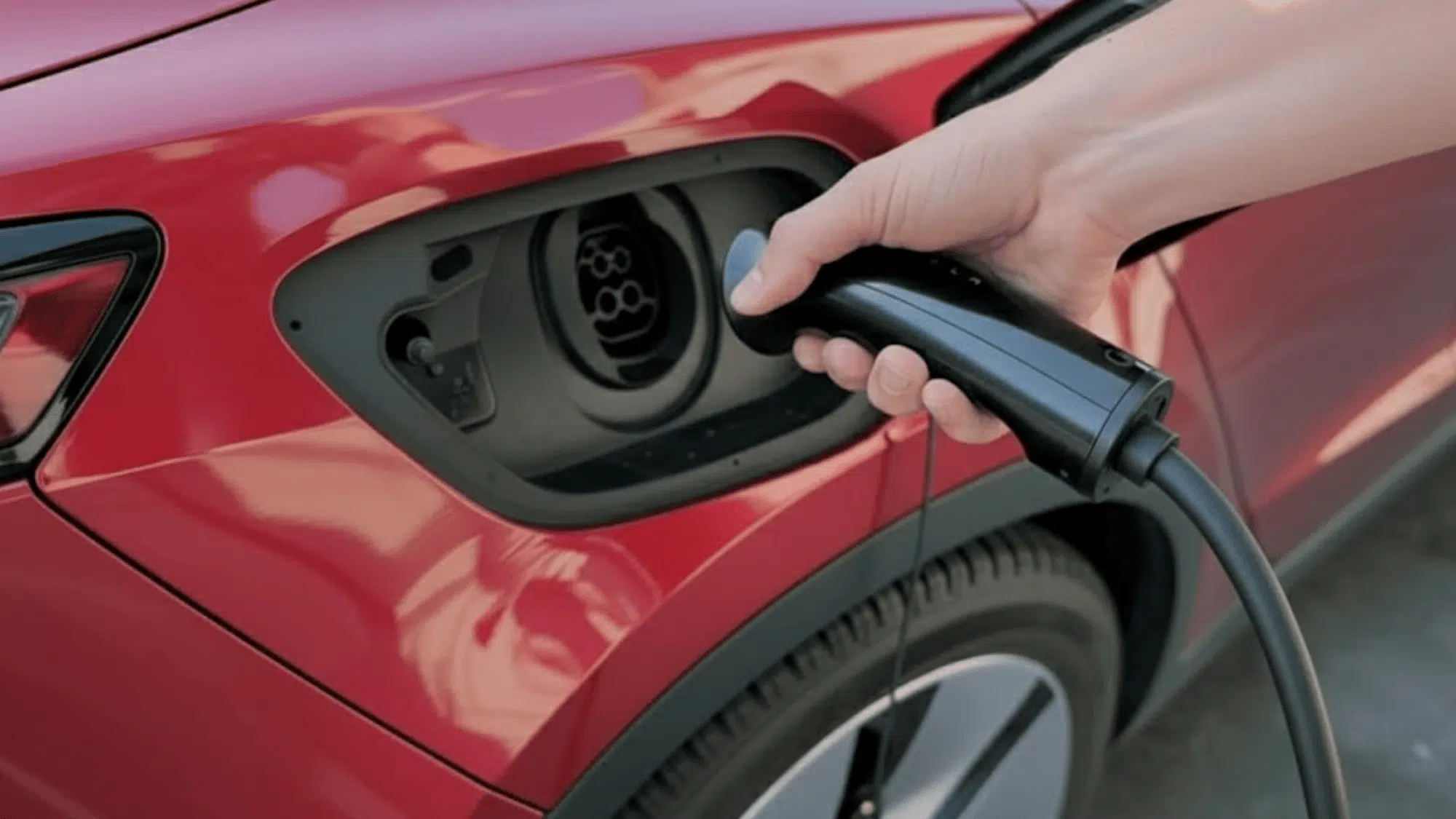
Here’s another quirky step: Press the small button on top of the Magic Dock adapter before pulling out the entire handle. This releases the adapter from your car’s port. You may need to press and hold this button while pulling.
Once the adapter button is pressed, unlatch and remove the whole handle from your vehicle. Use smooth, steady pressure; don’t yank or jerk the cable.
Push the charging handle (with Magic Dock attached) back into the Supercharger unit. You’ll feel it click into place. Make sure it locks properly – give it a gentle tug to confirm. The next driver will need it!
If the handle doesn’t want to go back in, try rotating it slightly or adjusting the angle. It should slide in smoothly when aligned correctly.
Troubleshooting Common Problems of Tesla’s Magic Dock
Sometimes things don’t go perfectly. Here are quick fixes for typical issues:
| Problem | Solution |
|---|---|
| Magic Dock won’t release | Try pressing the handle button longer (3-5 seconds) and pushing harder toward the unit. Sometimes it takes more pressure than expected. |
| Charging won’t start | Check that you selected the correct stall number in the app. Also, verify your car’s charging port is unlocked. |
| App won’t connect | Move closer to the charger and check your phone’s internet connection. Toggle airplane mode on/off to reset your connection. |
| Payment declined | Verify your card details in the app settings. Some banks flag EV charging as unusual activity – you may need to approve the charge. |
| The stall appears broken | Try a different stall or report the issue through the app. Tesla usually responds within hours. |
| Charging speed is slow | This could be due to cold weather, high battery percentage, or many cars charging simultaneously. It’s usually temporary. |
| Can’t remove the handle at the end | Make sure you pressed “Stop Charging” in the app first. Then unlock your car’s charge port and press the Magic Dock button firmly. |
The Tesla app has a support button that connects you with help if needed. Response times are usually quick, often within 15-30 minutes. There’s also a phone number on the charging unit itself for immediate assistance.
Magic Dock vs. Buying Your Own Adapter
Some EV owners wonder if they should buy a personal NACS adapter instead of relying on Magic Dock. There are pros and cons to each approach.
Advantages of Magic Dock:
- No upfront cost – you only pay for the electricity you use
- Nothing extra to carry or store in your vehicle
- Works at participating locations without planning ahead
- No compatibility concerns or warranty issues
Advantages of personal adapters:
- Access to ALL Tesla Superchargers, not just Magic Dock locations (tens of thousands more options)
- Useful if Magic Dock stalls are occupied or broken
- Own it permanently – no dependence on availability
- May charge slightly faster in some cases
- Good for frequent road trips through areas with limited Magic Dock coverage
Personal NACS-to-CCS adapters cost between $150-$250 from companies like Lectron, A2Z, or TeslaTap. They’re worth considering for frequent road trippers or those who live near standard Superchargers without Magic Dock.
Some automakers are starting to provide free or discounted adapters to their customers as Tesla network access expands. Check with your car manufacturer to see if they offer this benefit.
Final Thoughts
After learning how Tesla’s Magic Dock works, I really see how it’s changing the EV charging game. It makes life easier for non-Tesla drivers like me who just want quick, reliable charging without carrying extra adapters.
The setup is simple, the Tesla app makes everything smooth, and the stations are everywhere. Even if you’re on a road trip or just need a quick top-up, Magic Dock helps keep your drive stress-free.
I think it’s a big step toward making all EVs more connected and convenient to charge.
If you haven’t tried using a Magic Dock yet, open the Tesla app, find one near you, and give it a go. You’ll see how easy it really is!